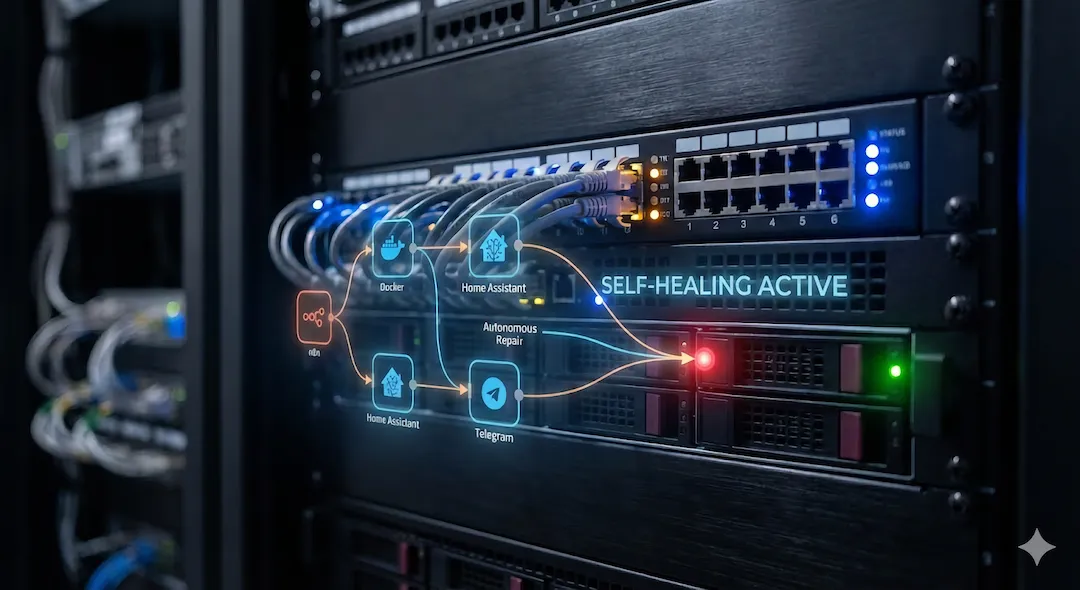
AI-Orchestrated Homelab Supervisor.
A multi-agent autonomous system using n8n, LangChain, and Model Context Protocol (MCP) to manage, heal, and interact with a complex Unraid & Home Assistant environment.
Role
Automation Architect
Timeline
Active / Iterative Refinement
Outcome
Production-ready AI Supervisor capable of natural language interaction, autonomous container recovery, and human-in-the-loop approval flows.
Tech Stack
The Concept
The “Maintenance Tax” of a homelab is real. Traditional automation scripts are brittle—they break when IP addresses change or error logs shift formats.
This project moves beyond simple scripting to build an AI-Orchestrated Supervisor. Instead of hard-coded “if/then” rules, the system uses a central AI Agent (built in n8n with LangChain) that understands intent, reasons about system state, and routes tasks to specialised “Tool” workflows. It acts not just as a watchdog, but as a Tier-1 Site Reliability Engineer (SRE) that lives inside the server.
Technical Architecture
The system follows a Supervisor-Worker Pattern designed for modularity and safety.
1. Ingest Layer
The system accepts inputs from multiple asynchronous sources:
- User Commands: Natural language via Telegram (e.g., “Why is Plex unreachable?” or “Restart Home Assistant”).
- System Alerts: Webhooks from Uptime Kuma when services (Sonarr, Radarr, Pi-hole) transition state.
- Scheduled Events: Cron-based health checks triggered internally by n8n.
2. The Supervisor Agent (The Brain)
Unlike a standard automation script, the core is an AI Chain (LangChain/OpenAI node).
- Context Awareness: It knows the “Rules of Engagement” (e.g., Never delete data, Ask for approval on destructive actions).
- Routing: It analyses the input and decides which Tool Workflow to call. It does not execute commands directly; it delegates.
3. Tool Workflows
Complex operations are encapsulated into deterministic, reusable sub-workflows (“Tools”):
- Tool - Docker Ops: A “safe” wrapper around the Docker CLI. It connects via SSH to the Unraid host to list, inspect, or restart containers. It strictly enforces a “No Delete” policy.
- Tool - Home Assistant: Interactions with the HA API to check entity states or restart the Core service gracefully.
- Tool - Log Analyst: (In Progress) Retrieves the last $N$ lines of logs for error diagnosis.
4. Human-in-the-Loop
Autonomy has limits. High-risk actions trigger the Approval Gateway:
- Agent proposes an action (e.g., “Stop Container X”).
- System sends a Telegram message with Interactive Buttons (Approve / Deny).
- The workflow pauses (Wait Node) until a callback is received.
- Execution resumes only upon explicit human authorisation.
Current Capabilities
The system is currently live on an Unraid host (managed via n8n-mcp) with the following active agents:
- Chat Home Assistant: A unified chat interface that allows natural language control of both IoT devices (via HA) and Infrastructure (via Docker).
- Docker Management Tool: A fully operational sub-workflow that performs safe container operations via SSH.
- Approval Gateway: A universal logic flow for handling Telegram button callbacks for sensitive operations.
Roadmap & Evolution
Phase 2: The “Supervisor” Logic (Active)
Migrating from direct point-to-point workflows to a central Router Agent. This will allow the system to handle complex, multi-step requests (e.g., “Check if Radarr is down, and if so, check the VPN container status before restarting”).
Phase 3: Long-Term Memory (Vector Store)
Implementing a Vector Database (Qdrant or Pinecone) to allow the agents to “remember” past incidents.
- Goal: If Plex crashes 3 times in a week with the same error, the Agent shouldn’t just restart it—it should cite the pattern and suggest a permanent fix.
Phase 4: Self-Healing with Diagnosis
Integrating local LLMs (Ollama) to parse raw logs during an incident. The system will move from “Auto-Restart” to “Auto-Diagnosis,” providing a summary of why the service crashed before attempting recovery.