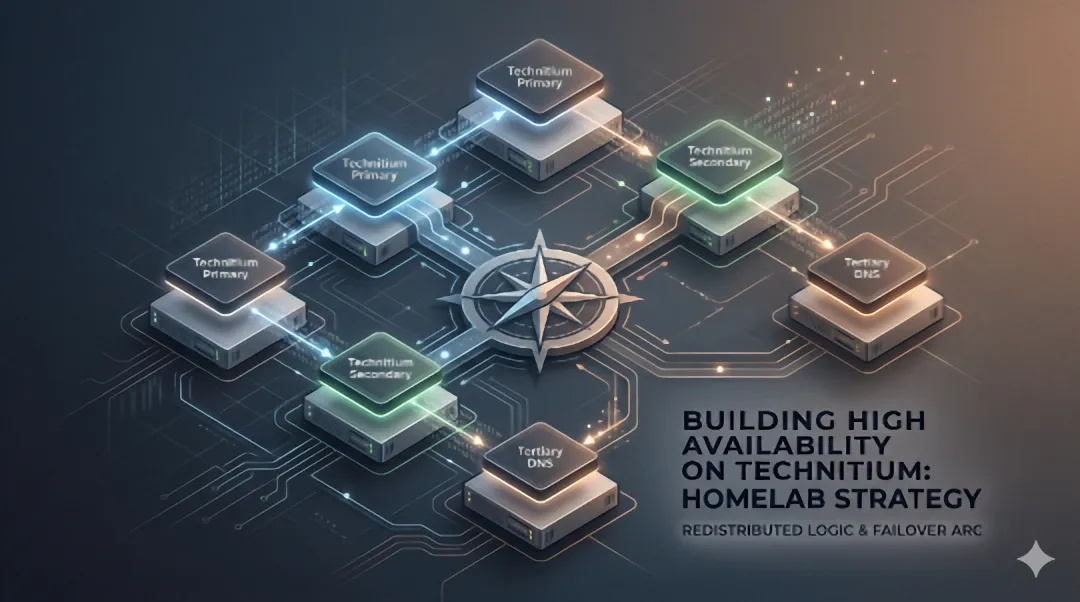
Technitium HA DNS Cluster.
Replacing Pi-hole and Unbound with Technitium DNS Server, then extending it into a two-node HA cluster with VRRP failover for sub-second automatic DNS recovery.
Role
Network Architect
Timeline
May 2026
Outcome
Zero-downtime automatic DNS failover in under 1 second, with native config replication across both nodes.
Tech Stack
Why I Moved Away from Pi-hole
My home network’s DNS had been running on a Raspberry Pi for a while: Pi-hole for ad and tracker blocking, Unbound for recursive resolution. It worked, but the two tools always felt stitched together rather than designed as one system. Pi-hole’s API was limited, the admin UI was showing its age, and Unbound did its job quietly but gave me zero visibility into what it was actually doing.
I’d been reading about Technitium DNS Server and the feature set was compelling. The biggest draw was Advanced Blocking: fine-grained group controls that let me set up per-user and per-device blocking profiles, rather than Pi-hole’s one-size-fits-all approach. It also supports a block page, so when something is blocked the user sees a clear explanation rather than a silent connection failure.
Beyond blocking, Technitium collapses two tools into one. It handles recursive resolution, blocklists, allow/deny lists, and authoritative zone management in a single engine. I no longer needed Unbound running alongside it. It also catches CNAME-cloaked trackers that Pi-hole misses entirely, has proper DNSSEC validation built in, supports split-horizon DNS via its Apps framework, and exposes a full HTTP API that makes automation straightforward. The web console is modern, supports dark mode, and the query logging gives me actual visibility into what the network is doing.
I deployed it as a Docker container on my Unraid server. Pi-hole and Unbound were immediately redundant, and the Pi was freed up entirely.
The Single Point of Failure
With Technitium running on the Unraid server, I had better DNS than before, but I’d also created a new problem. The Unraid server was now the single point of failure for all LAN name resolution. If the container crashed or the server rebooted, every device on the network would lose DNS until I noticed and fixed it.
The Pi was sitting right there, doing nothing. The obvious move was to run Technitium on it too, and build automatic failover between the two nodes.
How the Cluster Works
I landed on a two-layer design, with each layer handling a distinct concern.
Config Replication
Technitium added native clustering in November 2025, and it turned out to be exactly what I needed. It replicates everything between nodes: zones, blocklists, allow/deny lists, app configs, and admin authentication. I set the Unraid server as Primary and the Pi as Secondary. Any configuration change I make on the Unraid server propagates to the Pi within seconds. One replication mechanism instead of stitching together zone transfers and API sync scripts.
IP Failover
I use keepalived on each node to manage a single virtual IP via VRRP. The Unraid server holds the VIP under normal conditions. If its Technitium fails a local health check (a DNS query against itself), keepalived demotes it and the Pi picks up the IP within 1 to 3 seconds. Every client on the network points at one IP and that IP keeps answering, regardless of which node is behind it.
The two layers are decoupled deliberately. The cluster handles “what is the truth”; VRRP handles “where does the truth answer.” Either can fail without taking the other down.
               UDM DHCP DNS pushes ONLY 192.168.86.57
                              |
                      ┌───────▼────────┐
                      │   VIP .57      │     keepalived/VRRP managed
                      │  (on master)   │
                      └────────────────┘
                        ▲             ▲
                        │             │
        ┌───────────────┴─┐         ┌─┴───────────────┐
        │  UNRAID SRV .56 │         │    PI .192      │
        │  Primary node   │  ────►  │  Secondary node │
        │  Technitium     │ cluster │  Technitium     │
        │  keepalived M   │  sync   │  keepalived B   │
        └─────────────────┘         └─────────────────┘
Building It with Claude Code
I used Claude Code as my engineer on this project, with me in the PM seat setting goals, constraints, and making the architectural calls. Two process disciplines made the difference.
Before touching anything live, we ran eight read-only probes against the actual infrastructure: IP layout, Docker network drivers, port bindings, L2 multicast path, IP alias behaviour. That pre-flight phase took about 90 minutes and was worth every one of them. It proved that several pessimistic assumptions in my original plan were wrong on this specific kernel, collapsing the time estimate from “half a weekend” to “about three hours.”
During execution, we followed a strict “stop on first surprise” rule. Any time reality diverged from the plan, we stopped, documented the finding, formed a hypothesis, and decided whether to revise or abandon before moving on. That discipline got tested three times and prevented the kind of compounding state that turns a Sunday evening project into a weekend one.
What Went Wrong Along the Way
Host Networking
Technitium originally ran on an ipvlan Docker network with its own IP. Moving to host networking (which I needed for VRRP) surfaced two issues: a sysctl flag that works in isolated network namespaces but is blocked on host networking, and a .NET socket binding quirk where non-root users couldn’t bind TCP port 53 even with ip_unprivileged_port_start lowered. Neither was hard to fix once diagnosed, but both would have been confusing to hit without the systematic approach.
The Three-Hour TCP Bug
The longest debugging session traced a cluster sync failure to .NET’s IPv6 wildcard binding ([::]:53) silently refusing IPv4 TCP connections on the Unraid server’s kernel, despite bindv6only=0. The same Docker image on the Pi worked fine. I eventually fixed it by switching from wildcard to explicit IPv4 address bindings, which sacrificed nothing on an IPv4-only LAN. I’d love to know whether this is a known .NET issue or something specific to my kernel version.
The Cluster Init Mistake
This one stung. While exploring the Technitium cluster API, we called the cluster/init endpoint with a placeholder domain (test.invalid) expecting it to validate and return an error. Instead, it executed. I had a one-node cluster with the wrong name, unwanted zones, and a permanently changed server domain. Recovery required a surgical restore from a backup we’d taken minutes earlier. The lesson was clear: if an endpoint name contains “init”, “create”, or “apply”, assume it executes on call. There is no probe-only mode.
Where It Stands Now
The cluster has been running since May 2026. I tested four failover scenarios: stopping the Unraid server’s Technitium, restarting it, stopping its keepalived, and stopping the Pi’s keepalived. Zero failed DNS queries across all four, with failover completing in under a second.
Config changes are straightforward. I add a zone record or update a blocklist on the Unraid server’s UI and it appears on the Pi within seconds. No manual sync, no scripts, no forgetting to update the second node.
Both nodes are monitored independently. A custom health check probes the Pi’s standalone IP (not the VIP) so I can detect HA degradation even when the VIP is answering fine. Uptime Kuma watches the Pi’s DNS on a 60-second cycle.
Pi-hole and Unbound are stopped and disabled. I kept the binaries for a 30-day warm rollback window, but I haven’t needed them.
What’s Next
The obvious next step is hardening the Pi’s storage. It currently runs off an SD card, which is a known reliability concern for always-on workloads. Migrating to a USB SSD would remove the last significant hardware risk from the secondary node.